
Published by CAPTAINS COLLECTION on Google Play
HD Video Downloader Pro
One Android application that reaches a video on a supported website, saves it at a quality you select, and plays it back later with no connection. The browser, the downloader, the reels and status savers and the player all arrive in the same install.
Capabilities
What the application does
Six capabilities, each of them drawn from the app's own Google Play description. Nothing below is planned work, and nothing describes a build other than the one on the store today.
A pasted link, or the browser that finds it
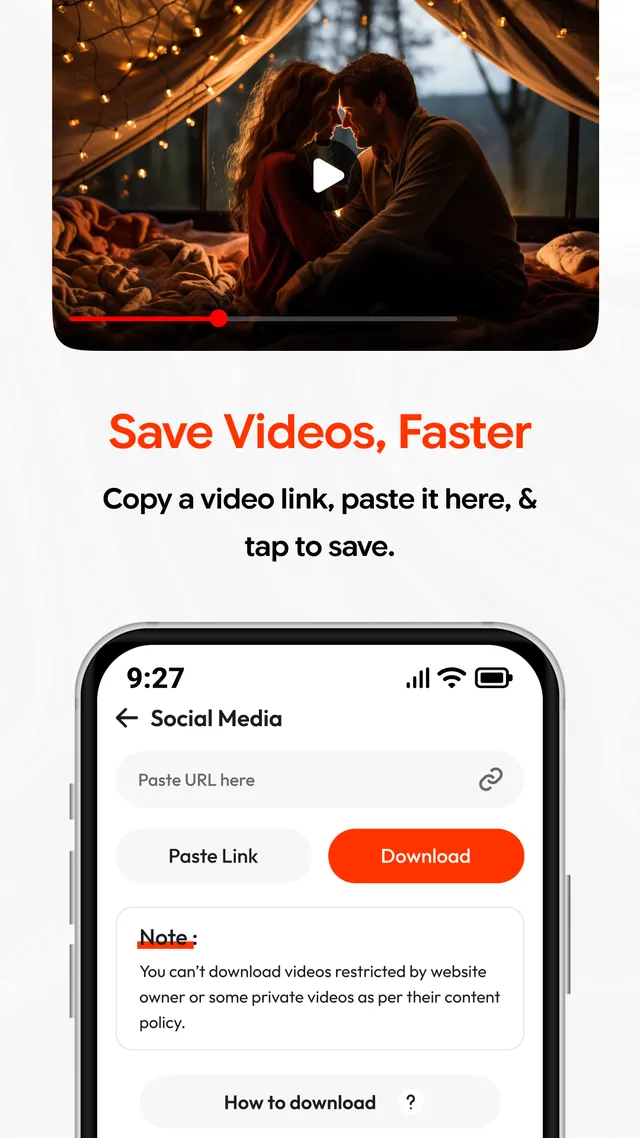
Copy an address in another app and drop it into the paste field, or stay inside HD Video Downloader Pro and use the built-in browser to reach media on a supported website. Both routes end at the same detection step.
HD downloads, with the quality left to you
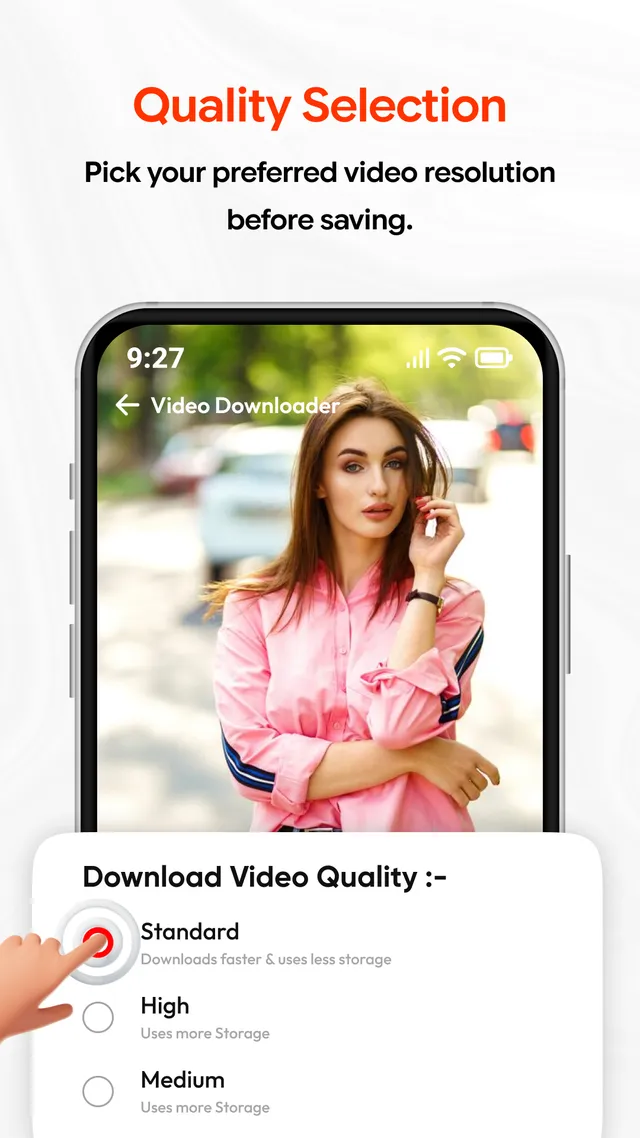
A sheet opens before the transfer begins and lists what the source is offering, together with the storage each option costs. Take a lower quality for a shorter wait and a smaller file, or a higher one where the source supplies it.
Reels and short videos
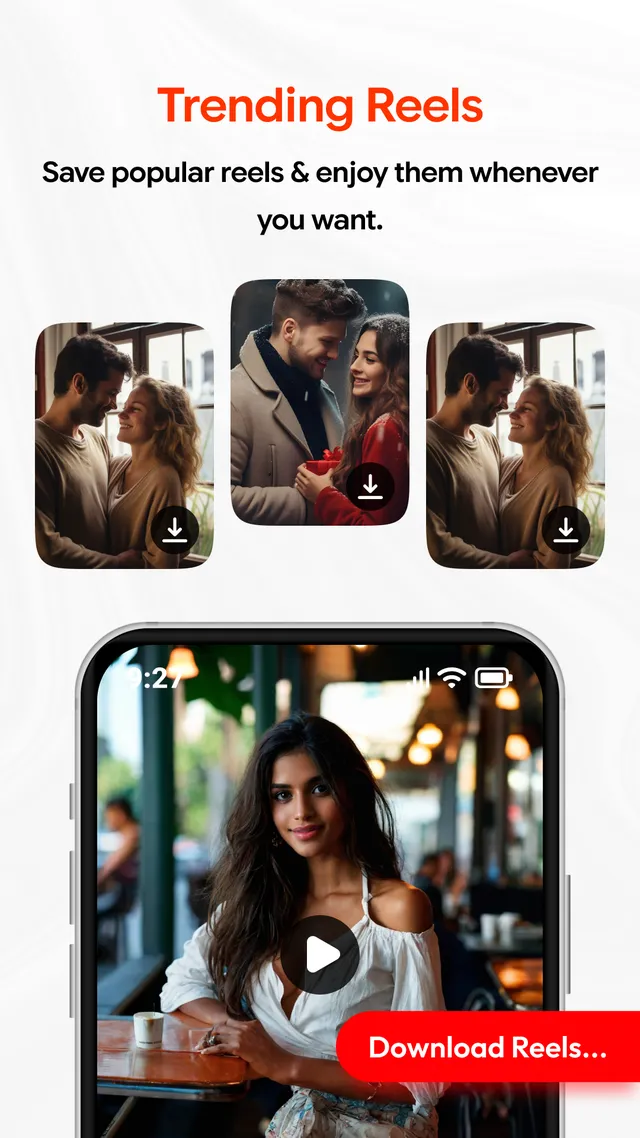
Browse a grid of reels in the app, let it detect the video behind a thumbnail, choose a quality and save it. Every thumbnail carries its own download control, and a reel opened full screen keeps one as well.
A saver for supported statuses
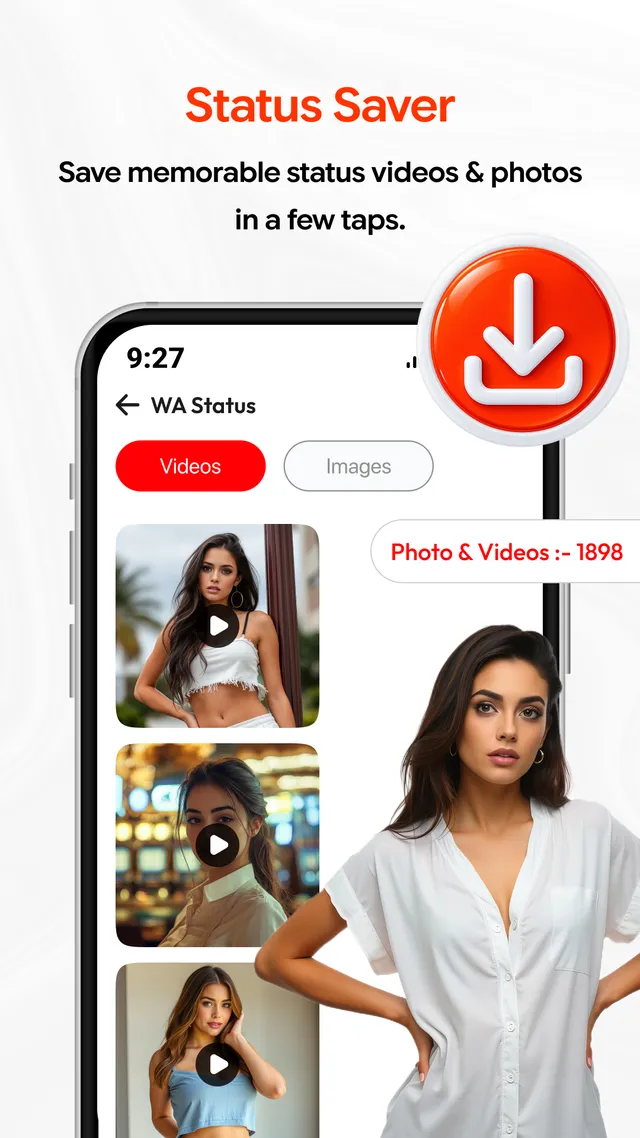
The status screen keeps videos and images in separate tabs above a grid of the status media the app can see. Pick an item and it is written to storage in the same way as any other download.
Transfers that continue in the background
A download starts on this screen but does not hold you there. It carries on in the background while you look for the next video, and download management keeps the queue in one place so a finished file can be told from one still in flight.
A player that comes with the app
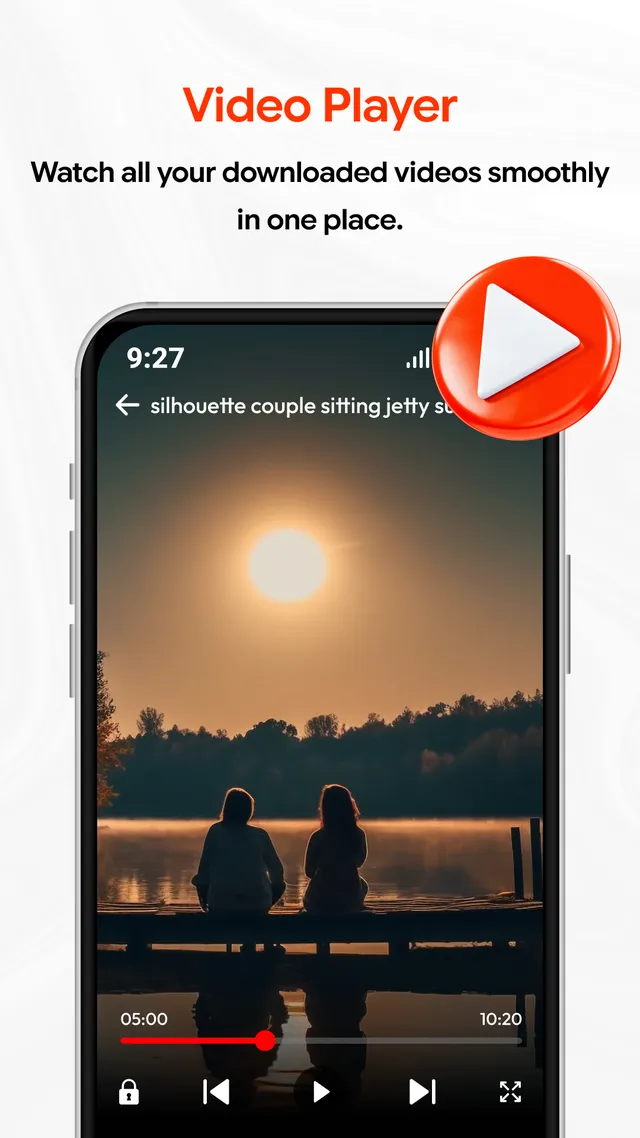
Saved videos open in the built-in player, so no separate player has to be installed. Playback runs offline, with a progress bar, a screen lock, skip controls and a fullscreen switch.
The sequence
Six moves, from an open page to a saved file
This is the order the Google Play listing sets out, described as it happens on the device.
-
Reach the video
Open the source in the built-in browser, or copy the video's address wherever you found it. Satisfy yourself first that the material is yours to keep.
-
Paste the address
Return to the app and drop the link into the paste field. One tap on Paste is enough once the address is on the clipboard.
-
Let the app detect the file
The app reads the page and reports the video it can see. Media a site owner has restricted does not appear here, and that is by design.
-
Select a quality
The quality sheet shows the options the source is offering and what each will cost in storage. Choose the one that fits the space you have left.
-
Tap Download
The transfer begins and then runs on its own. You can leave the screen; download management follows it to the end.
-
Watch it offline
The finished file opens in the built-in player. Nothing further is downloaded at playback, so a connection is no longer needed.
Screen by screen
The five screens on the store listing
These are the app's own Play Store screenshots, unaltered, with a line on what each one is showing.
Paste a link
The paste field with its Paste and Download buttons, and the notice about media a site owner has restricted.
Choose a quality
Standard, High and Medium on one sheet, each stating the storage it will use before you commit.
Watch offline
A saved file in the built-in player, with the progress bar and the lock, skip and fullscreen controls.
Save statuses
The status screen, with Videos and Images tabs above the grid of media available to save.
Save reels
A download control on every reel thumbnail, and the same control on a reel opened full screen.
Responsible use
Where the app stops and your judgement begins
Software that is able to save a file cannot decide whether you are entitled to save it. That decision belongs to the person who taps Download, and so does its consequence.
These limits are not fine print. They govern how HD Video Downloader Pro may be used, and they apply to every install of it.
The disclaimer and the terms and conditions set the same limits out in full. Read both before you install.
No affiliation with any platform
CAPTAINS COLLECTION is not affiliated with, endorsed by or sponsored by any platform that HD Video Downloader Pro can browse. Where a service is named anywhere in the app, the name identifies a destination and claims nothing more.
- Download only content you own, or content you have permission to download.
- Some private, protected, restricted or copyrighted content is simply not available through the app.
- Complying with the terms of service and the content policies of the websites you use is your responsibility, not the app's.
- Availability depends on the source and can change without notice. A video that saved this morning may not be reachable this evening.
Permissions
Why storage and network access are asked for
A downloader needs two ordinary things from Android. Here is each of them in plain language, with no attempt to make the list read shorter than it is.
- Storage access — a download has to be written somewhere. Storage access lets HD Video Downloader Pro save a completed video to the device and read it back afterwards, which is what offline playback in the built-in player depends on. The files stay on the device.
- Network access — pages opened in the built-in browser travel over the network, and so does the video file itself. The same access is what reports a transfer's progress while it runs.
- Nothing is gathered in the background. The Google Play Data safety section for this app declares that no data is collected, that no data is shared with third parties, and that data is encrypted in transit.
The Play listing carries the list that counts. No permission table is reproduced here, because a permission set can change from one release to the next and a copy printed on a website goes stale without saying so. For the build you have installed, the authoritative and current list is the one on the Google Play listing, alongside your own Android settings — where a granted permission can also be reviewed or withdrawn at any time.
Record
Store details at a glance
- Platform
- Android, distributed only through Google Play
- Package name
- com.captain.mp4.videodownloader.videoplayer
- Price
- Free to install
- Monetisation
- Contains ads
- Category
- Video Players & Editors
- Content rating
- Everyone
- Last updated
- Aug 31, 2026
- Developer
- CAPTAINS COLLECTION
- Support email
- contact@captainscollection.shop
A note on these figures
Each line is transcribed from the app's Google Play listing. The listing rules: where a date, a rating or a package differs from what is printed above, the listing is correct and this page has fallen behind. Point it out and it will be put right — contact and support.
Common questions
Put to us, and answered
Is HD Video Downloader Pro free?
The app is free to install from Google Play. It is supported by advertising, which is why the listing states that it contains ads.
Does anything have to be installed alongside it?
No. A video player is built in, so saved files play inside the app, offline, without a second application.
Which videos may be saved?
Only material you own, or material you have permission to download. Private, protected, restricted or copyrighted content may not be available through the app at all.
Is CAPTAINS COLLECTION connected to the platforms the app can browse?
No. CAPTAINS COLLECTION is not affiliated with, endorsed by or sponsored by any platform the app can reach. Complying with the terms and content policies of the websites you use remains your responsibility.
Why does a video sometimes fail to download?
Availability depends on the source and can change without notice. A page may change, a format may be withheld, or the material may be restricted by the site owner.
What data does the app collect?
As declared in the Google Play Data safety section: no data is collected, no data is shared with third parties, and data is encrypted in transit.
Take HD Video Downloader Pro from Google Play
Free to install, supported by advertising, and published by CAPTAINS COLLECTION in Vadodara. If a screen behaves in a way this page does not describe, send us your device model and Android version and we will look into it.